M12 A-Coded vs B-Coded: Key Differences Explained
M12 A-coded vs B-coded connectors compared: pin counts, keying, applications and how to choose between sensor/IO A-coding and PROFIBUS B-coding.
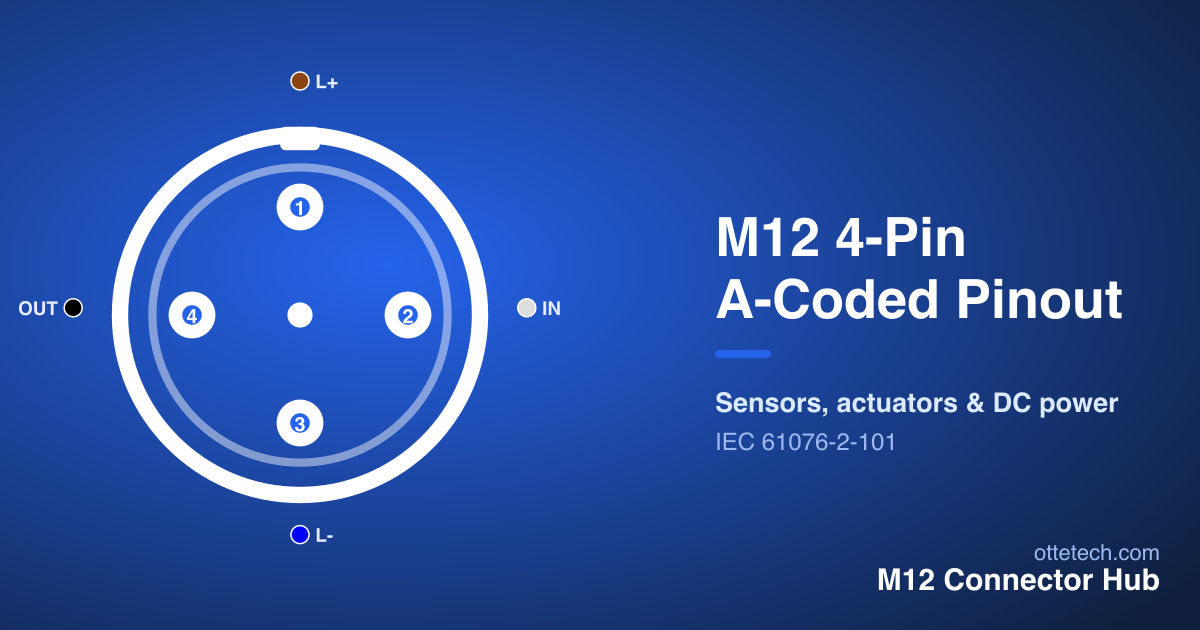
M12 A-Coded vs B-Coded: Key Differences Explained
Quick AnswerOn this page
Quick Answer
The difference between M12 A-coded and B-coded connectors comes down to their job and their keying. A-coded is the general-purpose type for sensors, actuators and I/O signals, available from 3 to 17 pins. B-coded is the dedicated connector for PROFIBUS fieldbus, typically 5-pin. Their inserts are keyed differently, so an A-coded connector physically cannot mate with a B-coded one — preventing a fieldbus cable from ever being plugged into a sensor port.
What Is an A-Coded M12 Connector?
A-coding is the most common M12 connector type. It is the default for connecting sensors, actuators and general I/O to a controller, and it makes up the majority of M12 connections in a typical plant. A-coding supports the widest range of pin counts — 3, 4, 5, 8, 12 and 17 — so the same coding scales from a simple two-wire sensor to a high-density multi-channel device.
Electrically, A-coded connectors carry low-current DC signals and sensor supply, not power distribution or high-speed data. A 3- or 4-pin version handles two- and three-wire sensors; a 5-pin version adds a contact for an extra signal or a functional earth; higher pin counts serve encoders and multi-function devices. Because A-coding is so standardised, off-the-shelf cordsets are stocked everywhere, which keeps cost low and maintenance fast. For the full picture of where A-coding sits among the other types, see the M12 connector types guide.
What Is a B-Coded M12 Connector?
B-coding is the established M12 interface for PROFIBUS, the long-running industrial fieldbus. B-coded connectors are typically 5-pin, and their keying is deliberately different from A-coding so the two cannot be confused or cross-mated.
PROFIBUS DP uses the B-coded connector to carry the differential data pair plus the shielding and reference connections that reliable fieldbus communication needs. The sealed, screened M12 housing keeps the bus running in noisy, wet or vibrating environments where a standard fieldbus connector would struggle. B-coding is purpose-built for this role rather than for general signals, which is why it is found specifically on PROFIBUS segments rather than scattered across a machine like A-coding.
Pin Counts and Signal Roles
A big part of the practical difference between the two codings is the range of pin counts each offers, which follows directly from their roles. A-coding spans 3, 4, 5, 8, 12 and 17 pins because it has to serve everything from a basic sensor to a dense I/O block. A 3-pin handles a simple two- or three-wire sensor; a 4-pin adds a second output or a fourth wire; a 5-pin adds a signal, analogue value or functional earth; and the 8-, 12- and 17-pin versions pack multiple channels into one coupling for complex devices.
B-coding, by contrast, is essentially fixed at 5-pin, because it exists to serve one job: the PROFIBUS interface. There is no need for a wide range of pin counts when the connector targets a single, well-defined bus. This is a helpful tell in the field — a 5-pin connector could be either A or B, but its keying and the device it serves resolve which one it is. When in doubt, the Pinout Viewer shows the contact layout for each, and the device datasheet states the coding it expects.
A-Coded vs B-Coded at a Glance
| Feature | A-Coded | B-Coded | |---------|---------|---------| | Primary use | Sensors, actuators, general I/O | PROFIBUS fieldbus | | Typical pin counts | 3, 4, 5, 8, 12, 17 | 5 | | Signal type | Low-current DC signals & supply | Fieldbus differential pair + shield | | Keying | A-key (general) | B-key (distinct, non-mating with A) | | Where you find it | Throughout the machine | On PROFIBUS segments | | Status | Dominant, growing | Stable, tied to PROFIBUS installations |
When to Use A-Coded vs B-Coded
The choice is almost always decided by the connection's role rather than by preference. If you are wiring a sensor, an actuator, or general I/O, use A-coding — it is the standard, the most available, and the most economical option for those signals. If you are connecting to a PROFIBUS network, use B-coding, because that is the interface PROFIBUS devices expect and the keying guarantees mechanical compatibility.
In practice, the mating device decides for you: its datasheet states the coding it provides, and matching it is both the electrically correct and the mechanically compatible choice. You should never try to adapt one coding to the other — the keying exists precisely to stop that. If you are unsure which connectors a project needs, the connector selector lets you filter by application, protocol and pin count and request a quote on any result.
A useful rule of thumb: reach for A-coding by default for anything sensor- or I/O-related, and only switch to B-coding when PROFIBUS is explicitly involved. For new networking projects that are Ethernet-based rather than PROFIBUS, neither A nor B is the answer — those use the D-coded or X-coded Ethernet types instead.
Common Mistakes to Avoid
A few recurring errors come up when people work with A- and B-coded connectors. The first is assuming that a 5-pin connector is automatically A-coded; both A and B come in 5-pin, so always confirm the keying and the device's stated coding rather than counting contacts. The second is trying to source a single "universal" 5-pin cordset for a machine that mixes sensors and PROFIBUS — they need different codings, and one part will not cover both.
The third is overlooking the shield and reference connections on a PROFIBUS B-coded link; unlike a simple sensor connection, fieldbus relies on proper screening to stay reliable in noise. The fourth is wiring to the wrong gender or face, since the male and female layouts are mirror images — a point that applies to every coding. Checking the datasheet coding, the gender, and the pinout before terminating avoids almost all of these.
Compatibility and Keying
The single most important thing to understand about A-coding versus B-coding is that they are not interchangeable. Each coding has a uniquely shaped insulating insert, so an A-coded plug cannot enter a B-coded socket, and vice versa. This mechanical keying is a deliberate safety feature: on a machine full of identical-looking 12 mm connectors, it makes it impossible to plug a PROFIBUS cable into a sensor input or to cross a sensor lead onto the fieldbus.
This also means you cannot "convert" between the two with a simple adapter — the signals, pinouts and intended use are different, not just the shape. If a device end and a cable end will not mate, the cause is almost always a coding mismatch, and the fix is to use the correct coding for that device rather than to force a connection. To see how the pin assignments differ across codings, use the interactive Pinout Viewer, and for the broader family of codings — including the C, D, K, T and X types — see the M12 connector types guide.
Frequently asked questions
- What is the difference between M12 A-coded and B-coded?
- A-coded M12 connectors are the general-purpose type for sensors, actuators and I/O signals, available in 3 to 17 pins. B-coded connectors are the dedicated interface for PROFIBUS fieldbus, typically 5-pin. Their inserts are keyed differently so the two cannot be mated, which prevents wiring a fieldbus cable into a sensor port.
- Can I plug an A-coded cable into a B-coded port?
- No. A-coding and B-coding use different keyed inserts, so they will not physically mate. This is intentional, protecting equipment from accidental cross-connection between sensor/IO and PROFIBUS lines.
- Is B-coding still used?
- Yes, wherever PROFIBUS is in service — common in process automation and established lines. For new Ethernet-based networks, D-coded and X-coded connectors have largely taken over the data role, but B-coding remains the standard for PROFIBUS and spares are widely available.
- How many pins do A-coded and B-coded M12 connectors have?
- A-coded connectors come in 3, 4, 5, 8, 12 and 17 pins. B-coded connectors are typically 5-pin, matching the PROFIBUS interface they are designed for.
Need M12 connectors for your project?
Find the right part with our selector, or send us your requirements for a quote.